- Inicio
- Sales and CRM
-
Website integration
Website integration
Ready-made modules for CMS. Single API. Integration in 5 minutes. No limits.
Instalar
Gratis
Compras en la aplicación
-
EvaluaciónMuy pocas evaluaciones
-
Instalaciones201
-
DesarrolladorFlamix
Descripción
Full integration of Bitrix24 and website through a unified API.
Features:

Features:
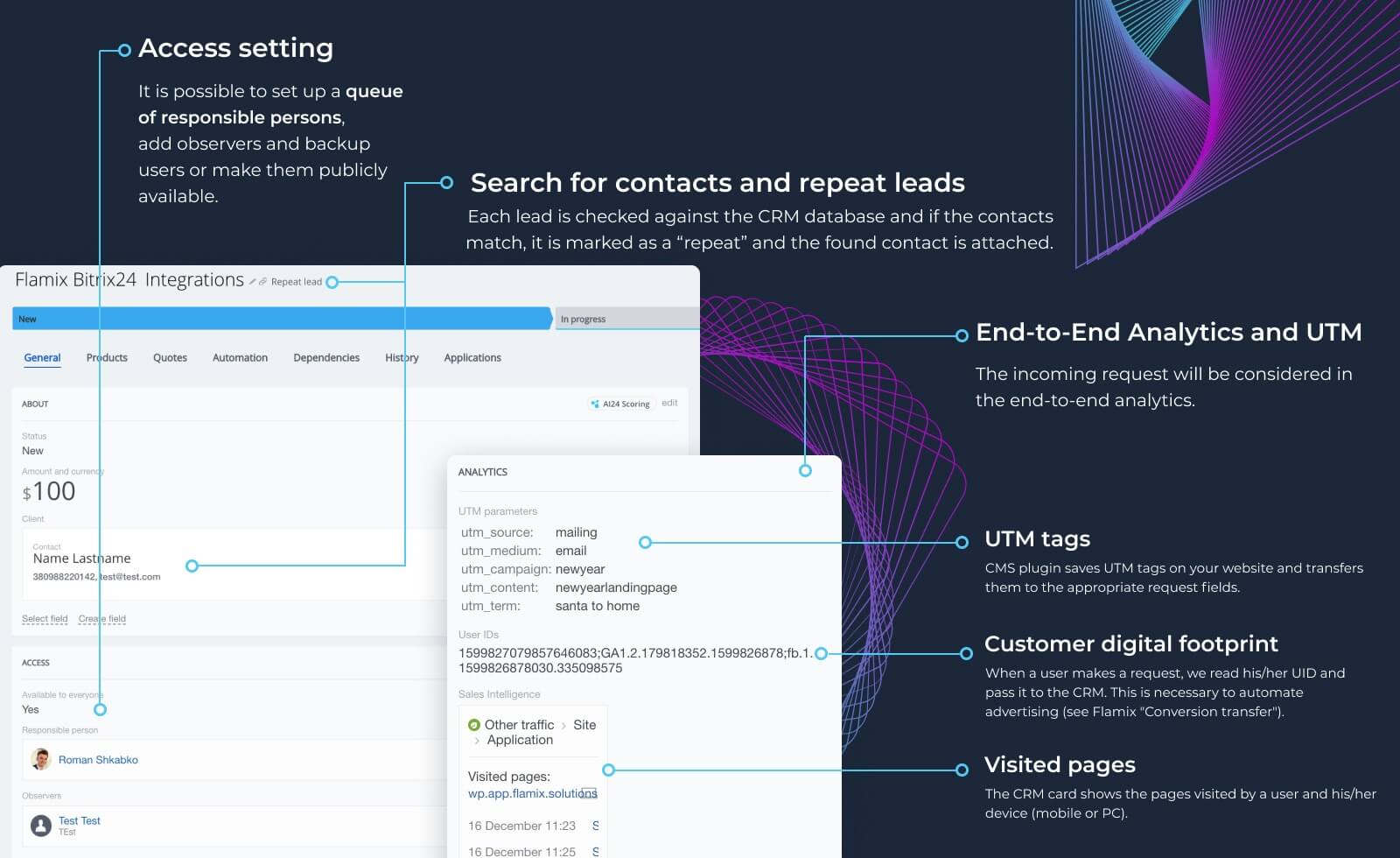
- Automatic transfer of forms and orders into LEADs and Deals;
- Two-way status synchronization;
- Comprehensive analytics (UTM tags, visited pages, and through analytics);
- Linking previously created Contacts/Companies (search by phone and/or email);
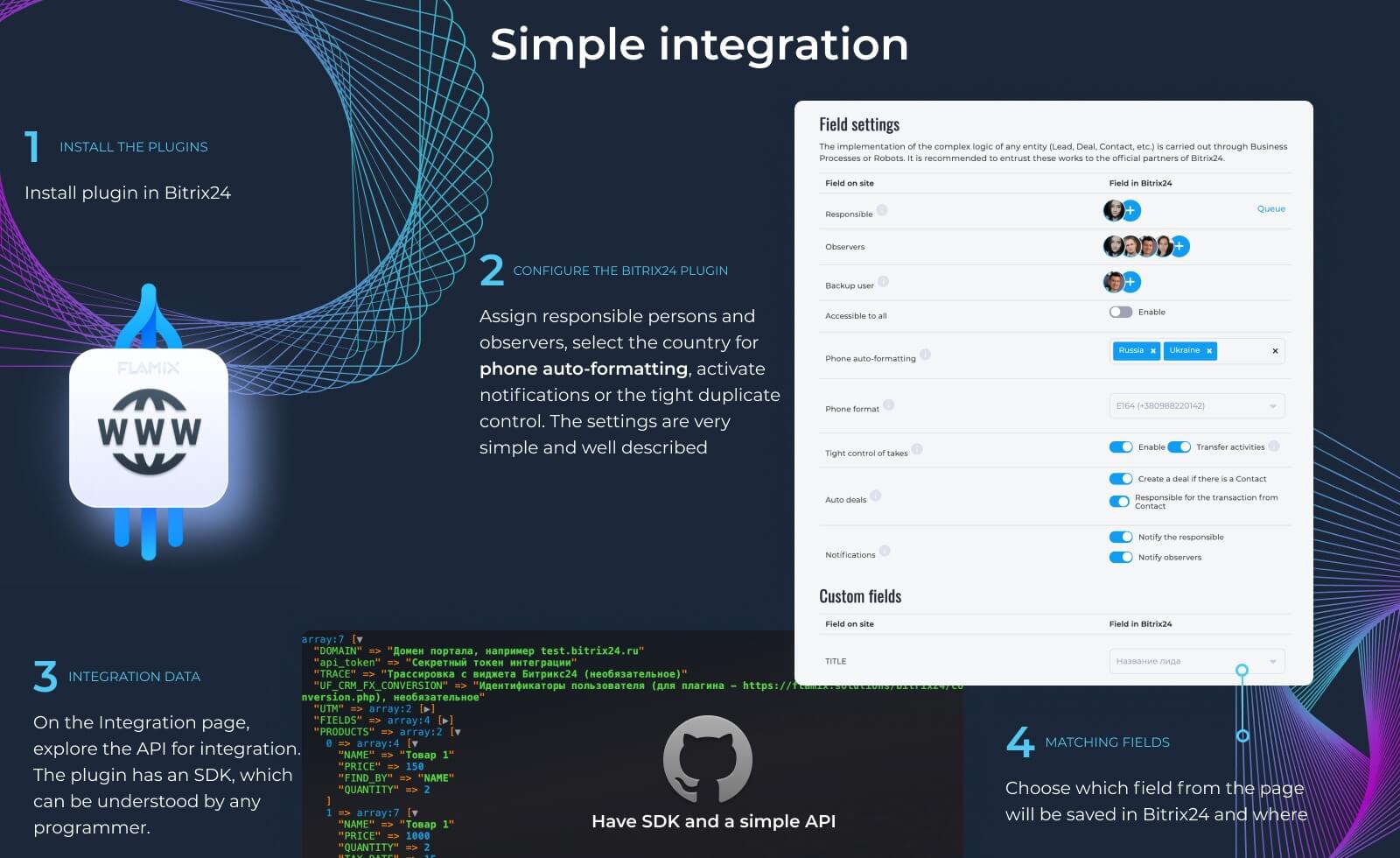
- Auto-formatting of phone numbers (support for 200+ countries);
- Ready-made modules for CMS and SDK packages;
- No limits on the number of websites and forms/orders!
- Linking products from the website and Bitrix24 for accurate inventory accounting;
- Tracking and transmission: UTM, SmartUTM, Google Client ID, Facebook Client ID and visited pages;
- Built-in support for the plugin for sending offline conversions;
- Two-way order synchronization;
- "Repeated Lead" control;
- Notifications about new applications;
- Each client works with the salesperson who previously served them (optional);
- Support and help with setup.
Pricing (cancel anytime)
Free 30-day trial. Monthly and annual subscription prices.
Soporte técnico
Contacts - https://flamix.solutions/about/contacts.php
Instrucciones de instalación
Installation, setup and FAQ - https://flamix.solutions/bitrix24/integrations/site/
Attention! Setting up the plugin requires knowledge of Bitrix24 and a general understanding of integration. Therefore, we recommend that you contact your Bitrix24 Partner for help or contact us if you do not have your own integrator.
Seguridad de los datos
Website integration
La aplicación solicita permiso para acceder a los siguientes datos:
CRM
acceso total: ver, crear, editar y eliminar prospectos, contactos, compañías, negociaciones, facturas, cotizaciones, actividades, campos de usuario, etc.
Tienda online
acceso total: ver, crear, editar y eliminar pedidos, propiedades de los pedidos, estados de los pedidos, envíos y pagos; ver, crear, editar y eliminar artículos de la cesta de compras, etc.
Sistemas de pago
acceso total: ver, crear, editar y eliminar sistemas de pago de facturas en el CRM y administradores de sistemas de pago; pedidos de tiendas online
Usuarios (básico)
leer la lista de usuarios y la información de contacto
Business Processes
acceso total: ver, crear, editar y eliminar acciones de flujos de trabajo, reglas de automatización y disparadores; ver la lista de tareas, ejecutar flujos de trabajo
Centro de contacto
widgets: agregar, eliminar y editar widgets
Catálogo comercial
acceso total: agregar, editar y eliminar el catálogo comercial, precios, productos, cotizaciones, almacenes, etc.
Chat y Notificaciones
acceso total: ver, crear, editar y eliminar chats y mensajes; conectar usuarios a chats, editar chats, leer todos los mensajes de chat
Incorporación de aplicaciones
acceso total: ver, crear, editar y eliminar widgets
Evaluación
5 /5
5 estrellas
1
4 estrellas
0
3 estrellas
0
2 estrellas
0
1 estrella
0
Reseñas
Total de reseñas: 1
Roman S.
04.06.2026
Roman S.
04.06.2026